Check the feature you need, not just the Matter badge
Build a small feature matrix that separates documented support, unsupported actions and unanswered questions.
Updated:

Name the action that decides the purchase
Start with a sentence such as: this platform must adjust the white tone of this lamp. A compatibility logo is useful, but it is not a complete description of every action available through an app. Google explains that Matter device-type support changes over time and that platforms adopt support at different points. The exact device and desired feature therefore deserve their own check.
Keep the sentence narrow enough to verify. Turning a lamp on, setting a colour and running a manufacturer-specific effect are separate requirements. If only one matters to you, make that one decisive. A long list of possible features can distract from the small action that would make the purchase useful.
Google Home: preparing for Matter ?
Use three evidence states
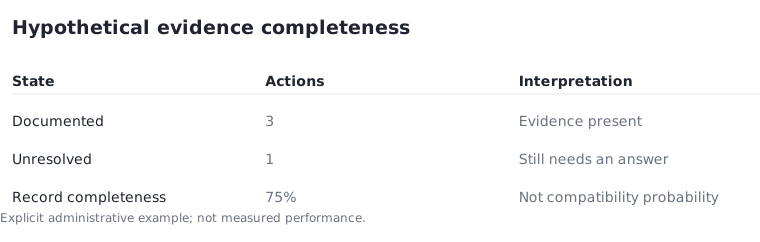
Give each required feature one of three states: documented, explicitly unavailable or unresolved. Documented means you have a current source that covers the exact combination. Unavailable means the source says the action is not supported. Unresolved means the information you have is insufficient. Do not merge the last two, and never count unresolved as a quiet yes.
Suppose a hypothetical shortlist has four required actions. Three are documented and one is unresolved. Your documentation is 3 ÷ 4 = 75% complete, but the device is not 75% likely to work. If the unresolved action is essential, it can still decide the entire purchase. The percentage measures your record, not the product.
Keep the platform and model together
A feature matrix needs columns for accessory model, platform and software conditions. Apple publishes its supported Matter accessory categories and instructions for paired accessories. Use such platform documentation as a starting point, then match the particular manufacturer's information. A familiar brand does not remove the need to identify the exact item.
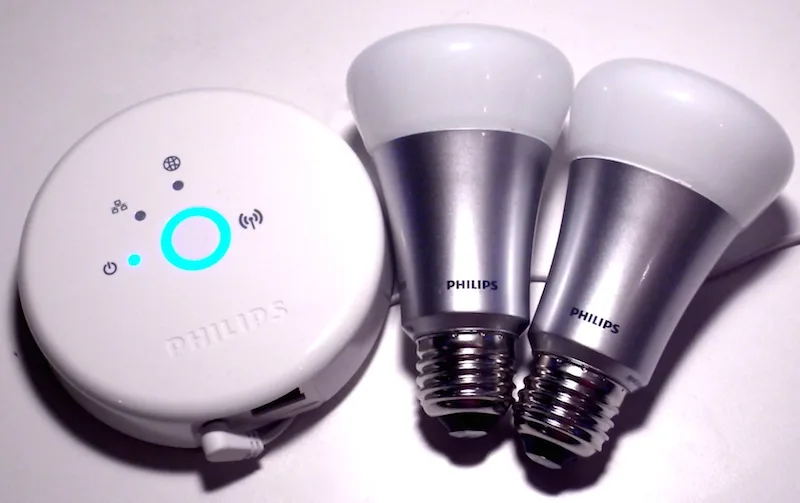
Historical photographs in this guide show the physical distinction between a light, a bridge and a remote. They do not certify any current feature combination. In particular, the first-generation round Hue bridge is not a visual shortcut for modern Matter support. Keep the image's purpose separate from the evidence used in the comparison table.
Apple UK: pairing and managing Matter accessories ?
Separate essential from optional functions
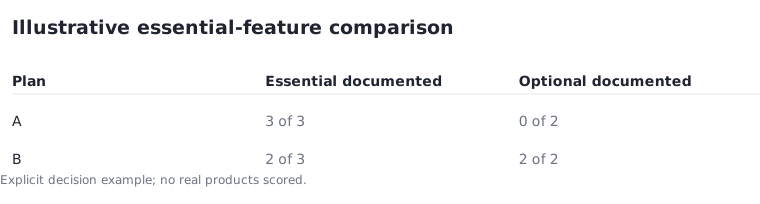
Imagine two candidate plans. Plan A documents all three essential actions but none of two optional effects. Plan B documents two essential actions and both optional effects, leaving the third essential action unresolved. A simple feature total would give plan B four positives against plan A's three. That total would hide the requirement that actually matters.
Instead, resolve essential functions first. Optional effects can help choose between otherwise suitable plans, but they should not compensate for a missing core action. This example is an editorial decision method, not a scored review of real products. Replace the labels with your own tasks and retain the evidence beside each answer.
Turn uncertainty into a precise next step
For an unresolved item, write the missing statement in full: whether model X exposes action Y through platform Z under the stated software conditions. That is much easier to research than asking whether the product is compatible in general. Save the official answer and its date in the same record, rather than leaving it in a separate browser tab.
Before ordering, repeat the check for any requirement that changed while you compared products. If the essential action is still unsupported or unconfirmed, remove that candidate from the current basket. You can revisit it when documentation changes. The result is a shortlist based on the job you need, rather than a badge count.
Google Home: preparing for Matter ?